Ranked by customers with a 5-Star TrustPilot Rating. The industry's #1-Rated Point of Sale system
Acquired by Revolut in 2021
$2.5M Revenue EOY
1500+ served merchants over 30 countries
Under 100 employees
YEAR
2013-2019
COUNTRY
UK, USA
INDUSTRY
Payment Services & Hospitality
SERVICES
Head of Product & Design
DEVICES
Laptop
Desktop
TOOLS
Slack
Google Workspace
Figma
Illustrator
RESULT & IMPACT
NoblyPOS was acquired by Revolut in 2021, integrating the platform into Revolut's broader merchant services offering and expanding Revolut's footprint in the hospitality verticals.
↑1.5M ARR
Revenue: 67% growth
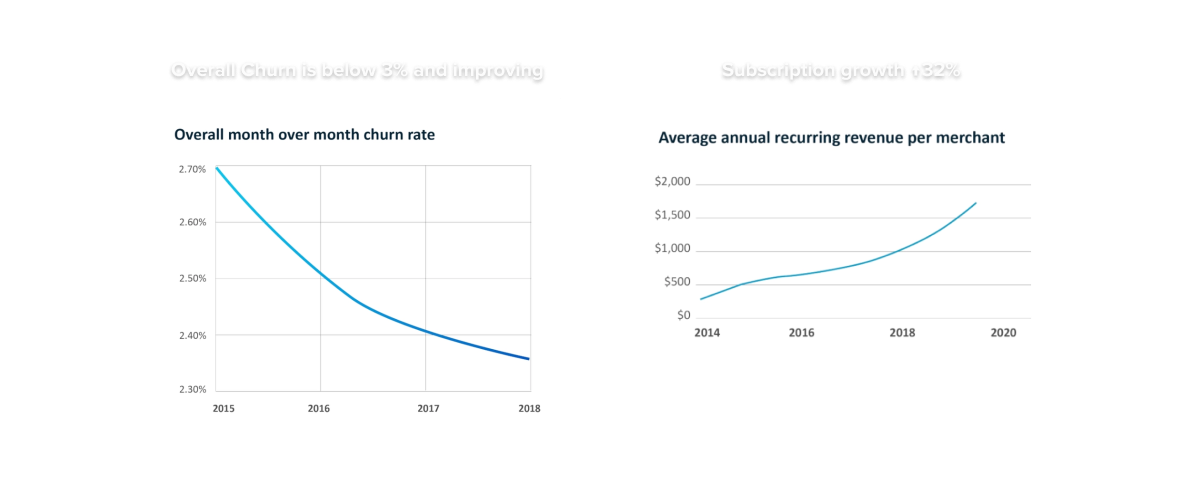
↓2.4%
Churn: below industry average of 5-8%
1,600+
Merchants across 30 countries
4.3★
#1-rated POS by customers TrustPilot
KEY DECISIONS & LEARNINGS
Success indicators defined at project outset: CSAT, Customer Effort Score, Average Time on Task, and Error Rate per journey. Infrastructure for measurement was scoped for post-launch implementation.
1. UNLOCKING A NEW MARKET SEGMENT: SPLIT BILL + OPEN TABS
2. BUILDING FOR NON-PRIMARY BUYERS: ALLERGEN MANAGEMENT
WHAT IS NOBLY POS NoblyPOS allowed coffee shops and restaurants to track their inventory, process payments, and review analytics of the health of their business. Coffe shops and restaurants need a way to process customer payments (cash, credit, debit), track inventory, analytics for their sales, stock wastage, track of promos and loyalty. Nobly was a tablet cloud-based point-of-sale (POS) management software that allowed hospitality services to manage all this.
WHY IT MATTERS NoblyPOS helped hospitality businesses to process payments (receive cash and card payments), track sales, manage inventory and run loyalty programs. Manager dashboards provided customer management tools, and customized analytics to access to high quality information that is key in the decision-making process of managers.
STRATEGY & PLANNING
MY ROLE Founding Designer (2013-2016) Head of Product & Design (2018-2019) - First designer hired alongside a 5-person dev team. - Worked directly with CEO on daily collaboration, long hours. - Transitioned to Head of Product & Design collaborated directly with the CPO & CTO.
MY TEAM - 1-3 Engineer Managers - 1 Sales Manager - 1 Customer Service Manager - 15-20 Developers (iOS & Backend) - 1-3 Designers & Researchers (Product & Marketing)
MY CORE RESPONSIBILITIES
PHASE 1 - PRODUCT MARKET FIT (2013-2016) I designed the first version of NoblyPOS from 0 to 1 - Design system & branding: Define components and guidelines. - Product discovery: Collaborate with the CEO to define the top features and user journeys. - Product architecture: Define the sitemap, wireframes, user journeys. - Usability testing & prototyping: Lead user testing and developer demos. - Development handoff and Q&A. - Design marketing content.
PHASE 2 - MARKET EXPANSION (2018-2019) Head of Product & Design. I was tasked to research a new industry vertical (restaurants & bars) on an new market (US). And then design & deliver a new Android app leading a team of devs, , researchers, designers and collaborating with stakeholders from sales, customer service and loyal clients. - Benchmark analysis: Test and compare competitor products. - Research: Plan and design client & user research, interviews, & user testing for the designed product. - Feature discovery: Report findings of new features per user segment. - Product vision: Prioritize and define new app stories, among with the CPO & CTO. - Roadmap definition: Orchestrate and manage among different teams, research, design, development, sales and customer service. - Design, testing and delivery of the first version of NoblyPOS for restaurants & bars.
WHERE NOBLYPOS INNOVATED Back in 2013
1. Vertical specialization Purpose-built for hospitality, small coffee shops, take-away food, restaurants and bars.
2. Integrated cloud platform Payments + back-office operations in one SaaS system.
3. Right timing Rode the iPad wave (tablets becoming mainstream), cloud adoption, and fintech maturation simultaneously.
4. Lower barrier to entry No expensive hardware lock-in.
PHASE 1 : PRODUCT MARKET FIT
Business Outcome:
User's Benefits:
Technical Challenge:
Reach product market fit.
Managers no longer rely on XML exports to analyze data. - Dashboards introduced real-time KPIs, delivery performance tracking, and monthly order trends.
- Define the Core vendor journeys: purchase orders, invoices, deliveries, redesigned from static tables (XML Excel) to interactive, filterable views. - Documented design system: standardizing the UI, reducing the effort required to design and build new features.
MARKET COMPETITORS Before the mobile/cloud revolution, small hospitality businesses had brutal options: - Traditional POS systems were hardware-heavy, expensive, required capital investment and IT support. - Early mobile POS solved payments elegantly, but lacked hospitality-specific features (kitchen displays, table management, order routing, inventory tracking, loyalty programs, etc.)
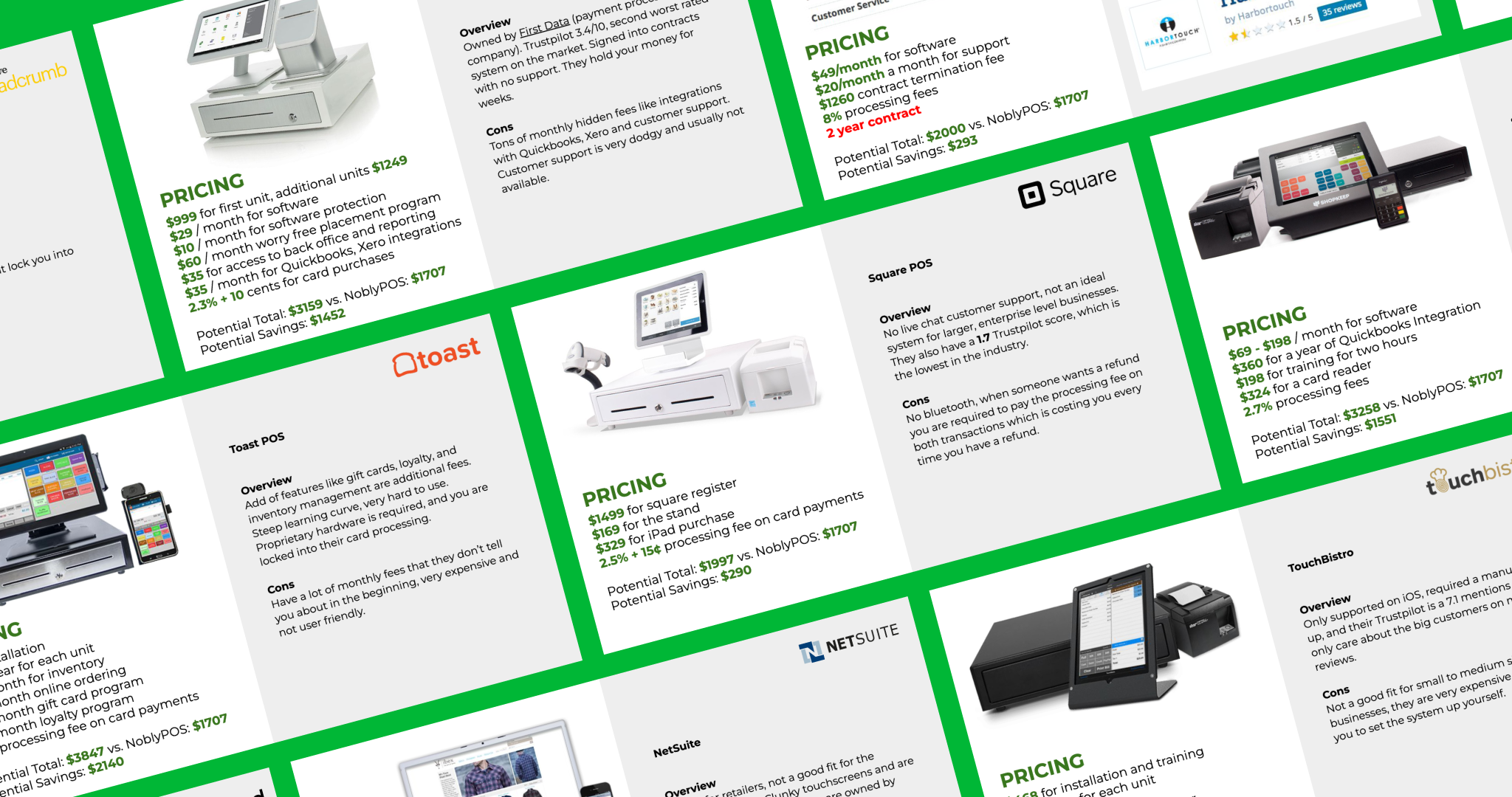
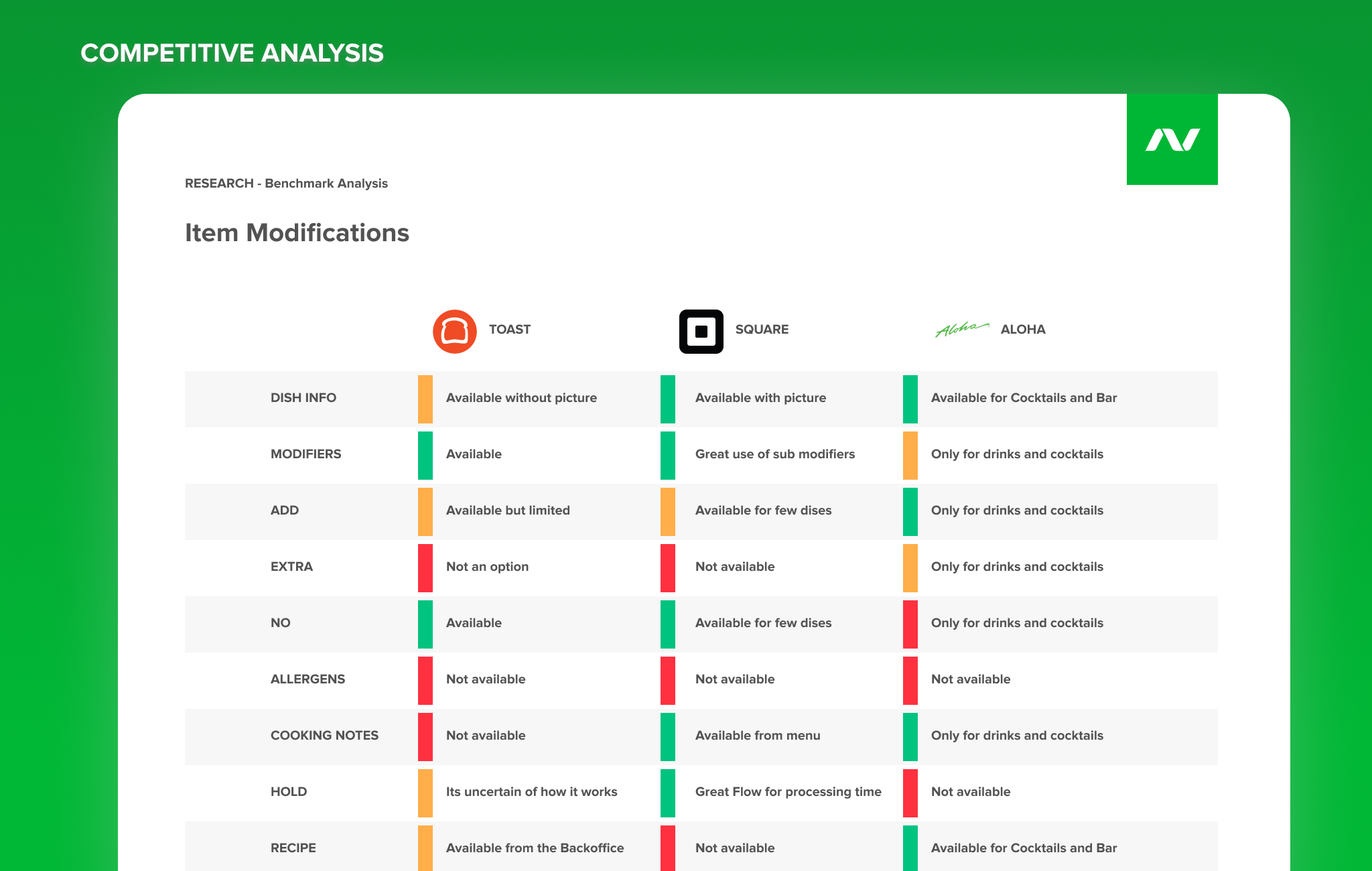
COMPETITIVE ANALYSIS Researching top competitors on the industry from features, pricing, business model and customer reviews revealed NoblyPOS had a strong opportunity developing features industry specific for the niche of coffe shops. I coordinated a team with a Product Designer, a Customer Service Manager and Sales Manager to review, compare, rate and share their notes and thoughts over a benchmark analysis. This gave me multiple perspectives on our market position.
BRANDING & DESIGN SYSTEM Alongside with the design of the app the design system started to come along. Back in 2013, there was no concept of design libraries, but we had design kits. I saved all resources on an illustrator file, that later evolved to become the first design system of our product.
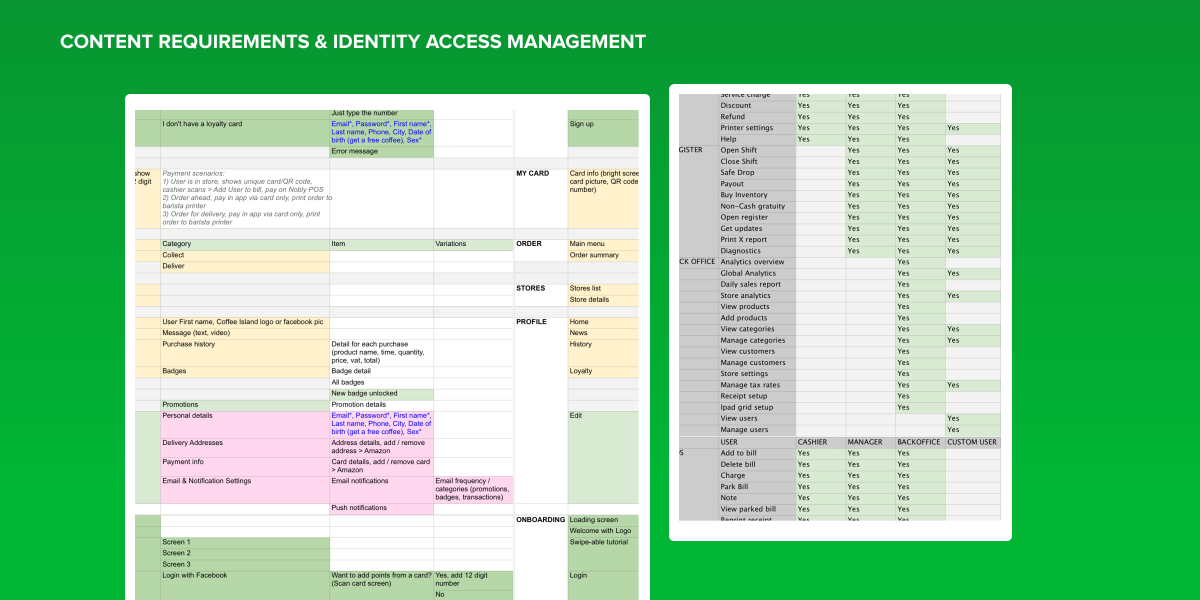
SITEMAP & CONTENT REQUIREMENTS
CREATE THE USER STORIES Each feature required a context for development, explaining the goalf for the user, understanding edge cases and defining acceptance criteria.
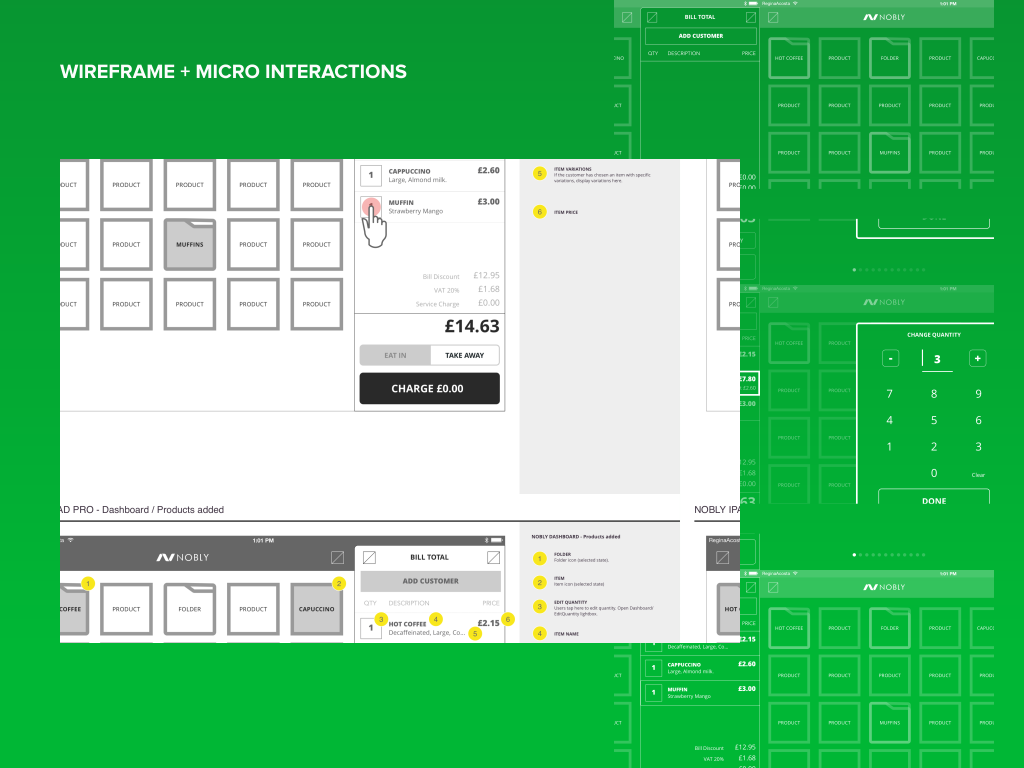
WIREFRAME + MICRO INTERACTIONS Micro interactions were crucial for the bill component where we designed gestures like slide to delete, long press to edit, tap for changing quantity.
On the Main menu we had different components as items vs folders, so animations were needed to depict the behaviour of moving elements around.
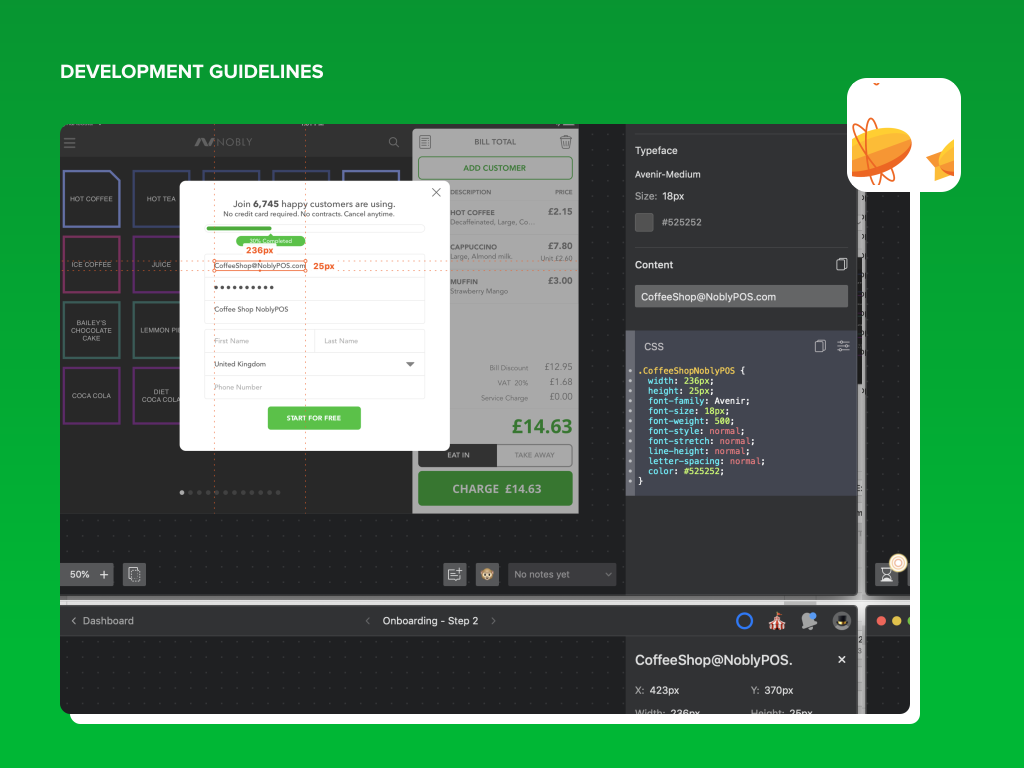
DEVELOPMENT GUIDELINES Over the years the development handoff system changed from illustrator and manual drawn notes on the canvas, to using sketch and zepplin, to then migrating to figma and defining the design system and components. Our team always adapted and adopted to new emerging tooling.
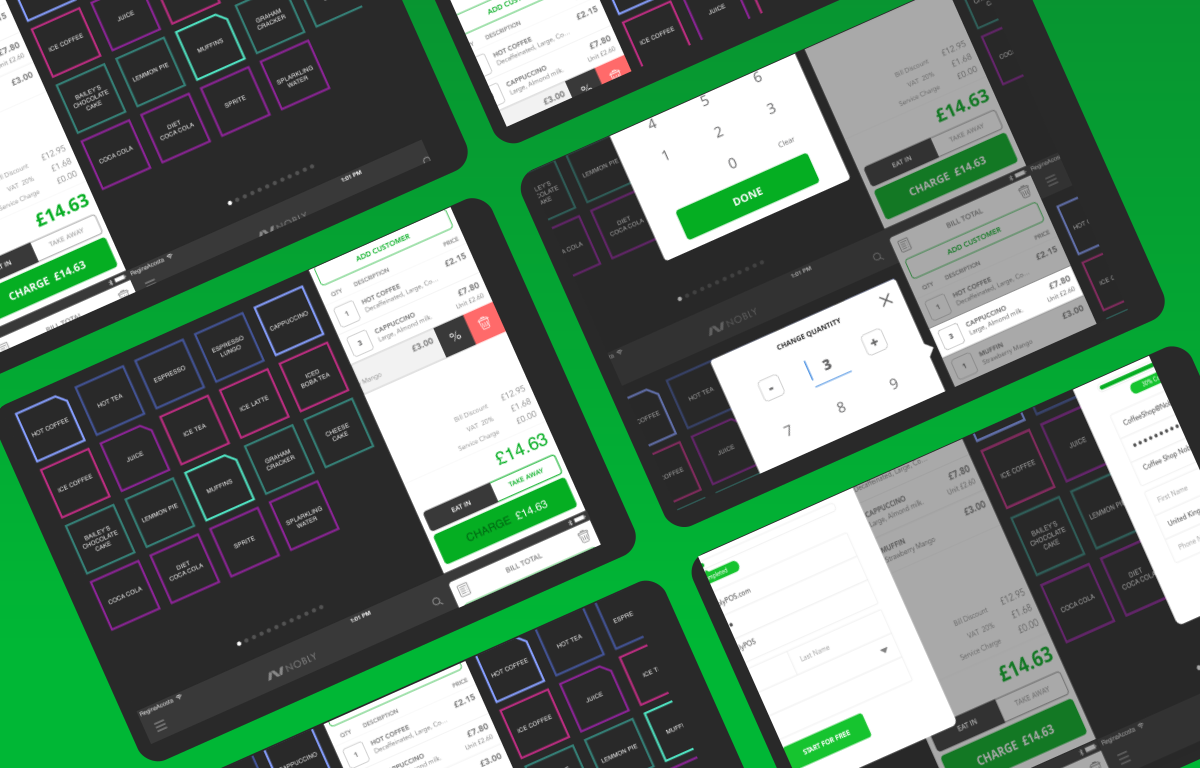
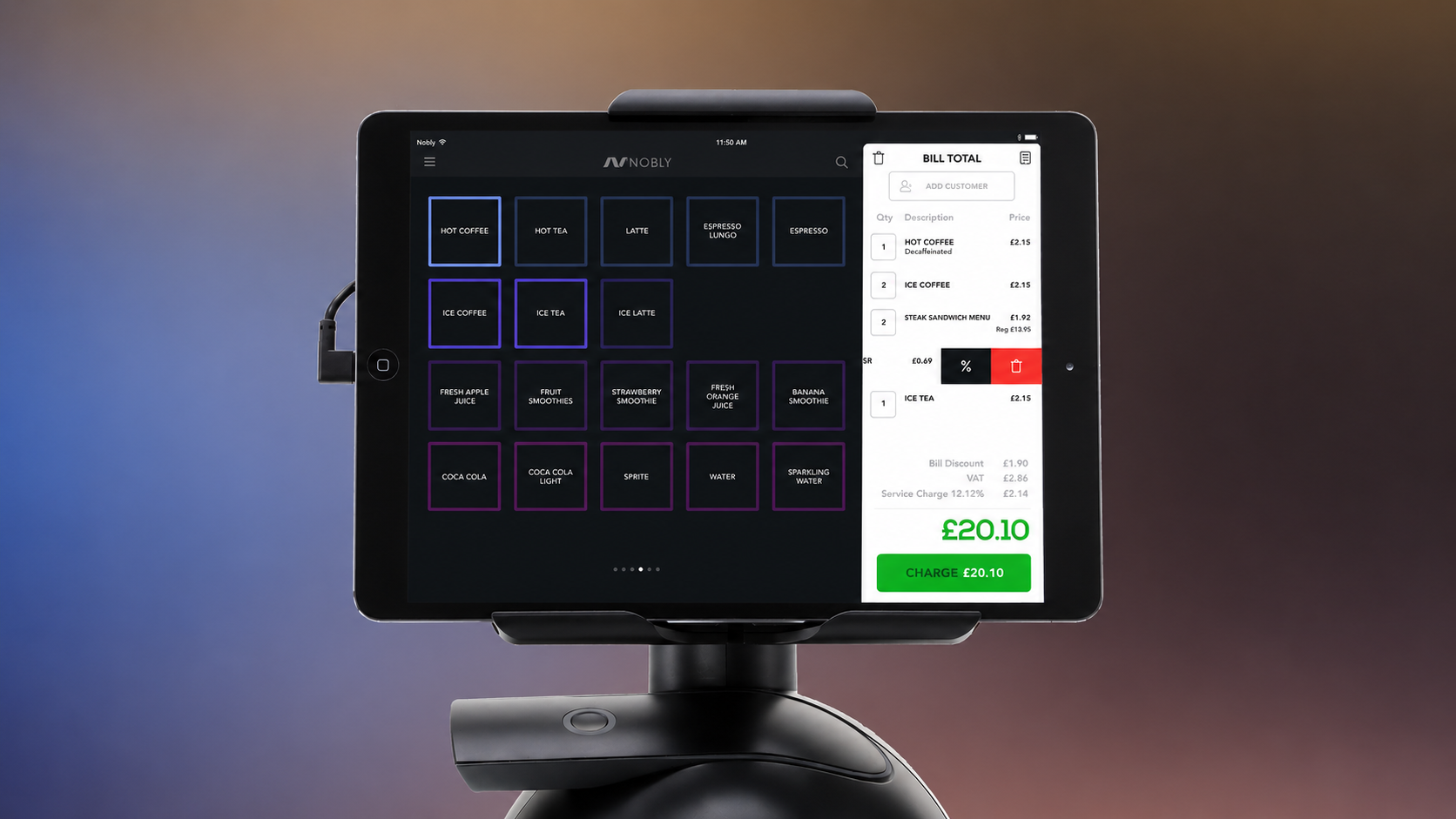
DELIVERED PRODUCT
PHASE 2 : EXPANSION → NEW MARKET VERTICAL + NEW CONTINENT
OKR - OBJECTIVE KEY RESULTS
EU → US
Expand to a new market
Coffee shops → Restaurants + Bars
Expand to a new industry
Business Outcome:
User's Benefits:
Technical Challenge:
Expand to a new market EU → US Expand to a new industry vertical: coffee shops → restaurants & bars
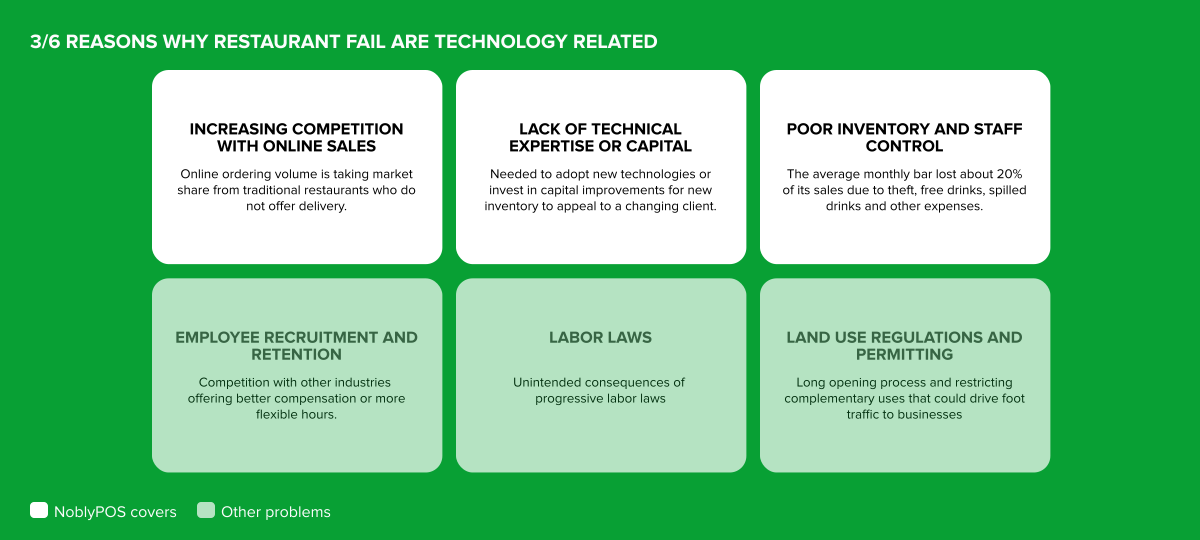
Reservation service (table service), open tabs, kitchen display, allergen management, payment split bill.
Design & develop a new app for restaurants and bars. Native Android POS system + Desktop backoffice platform.
KPI - KEY PERFORMANCE INDICATORS
↑ >60%
Feature Adoption
↑ MRR
Subscription Customers
↓ <3%
MoM Churn
↓ 48hs
Solve issues on prime time
PRODUCT ROADMAP
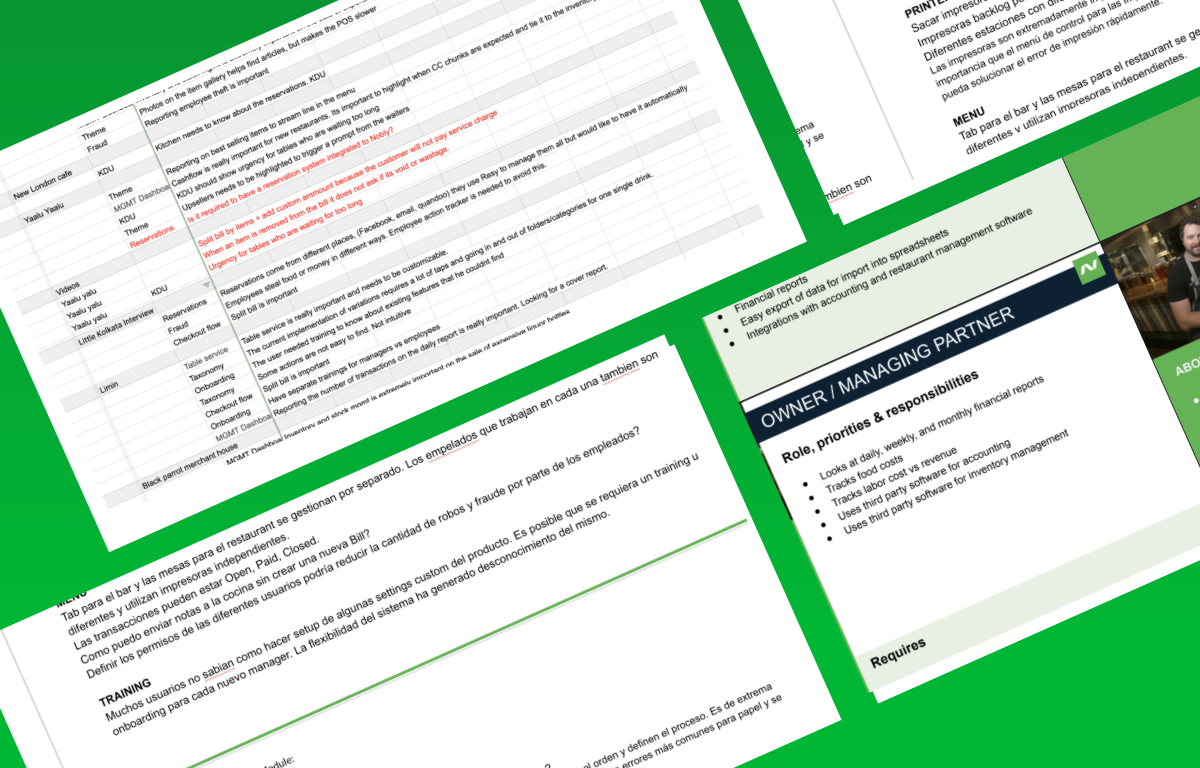
CLIENT & USER RESEARCH
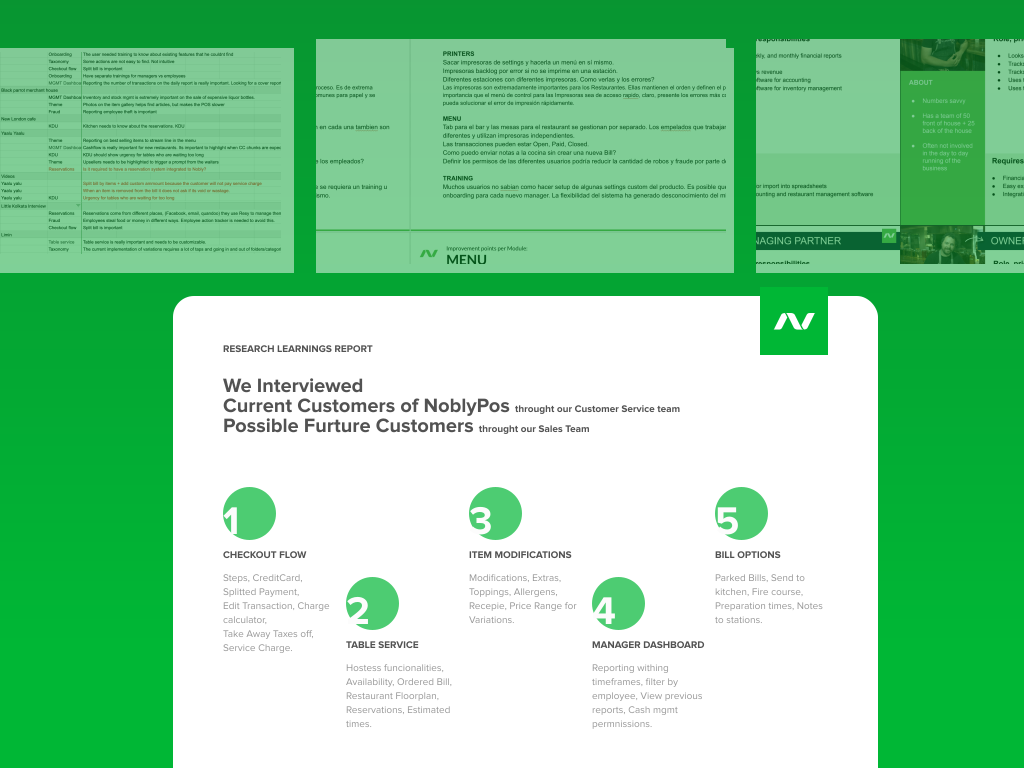
REPORT FINDINGS - TOP FEATURES & PAINPOINTS
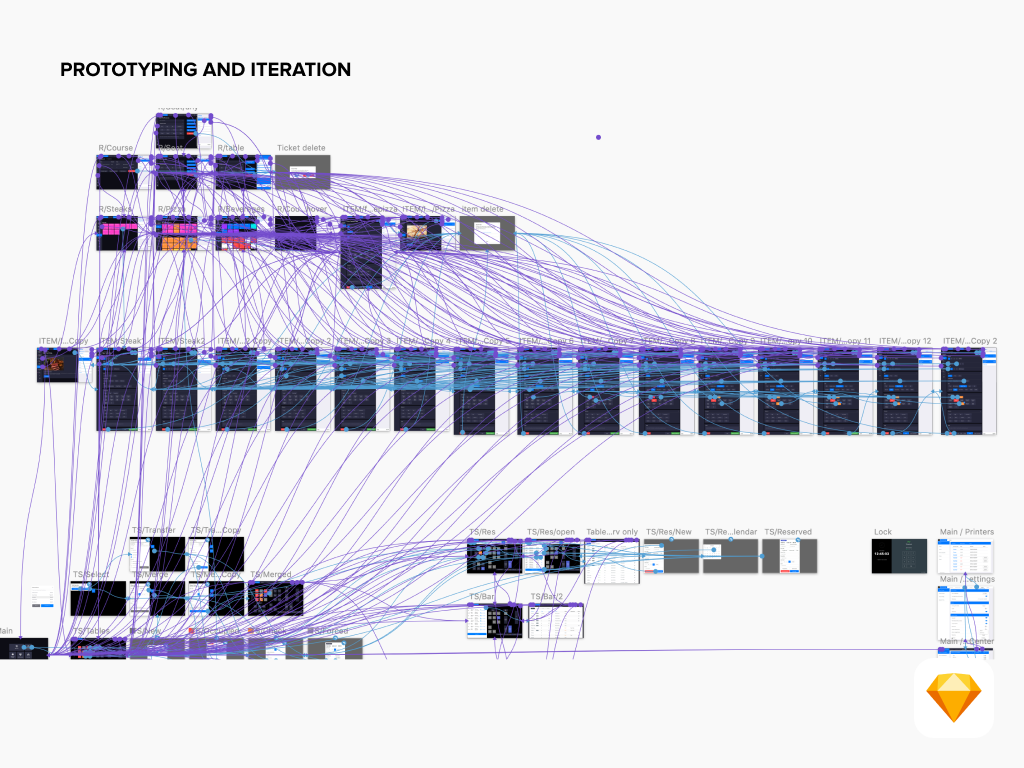
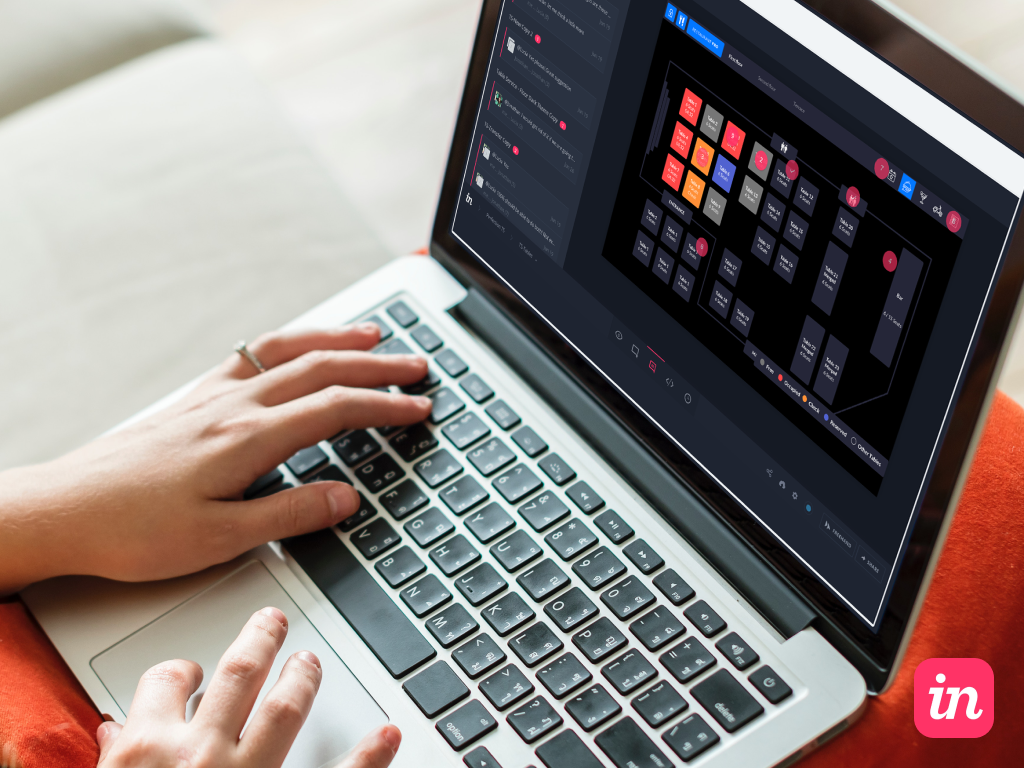
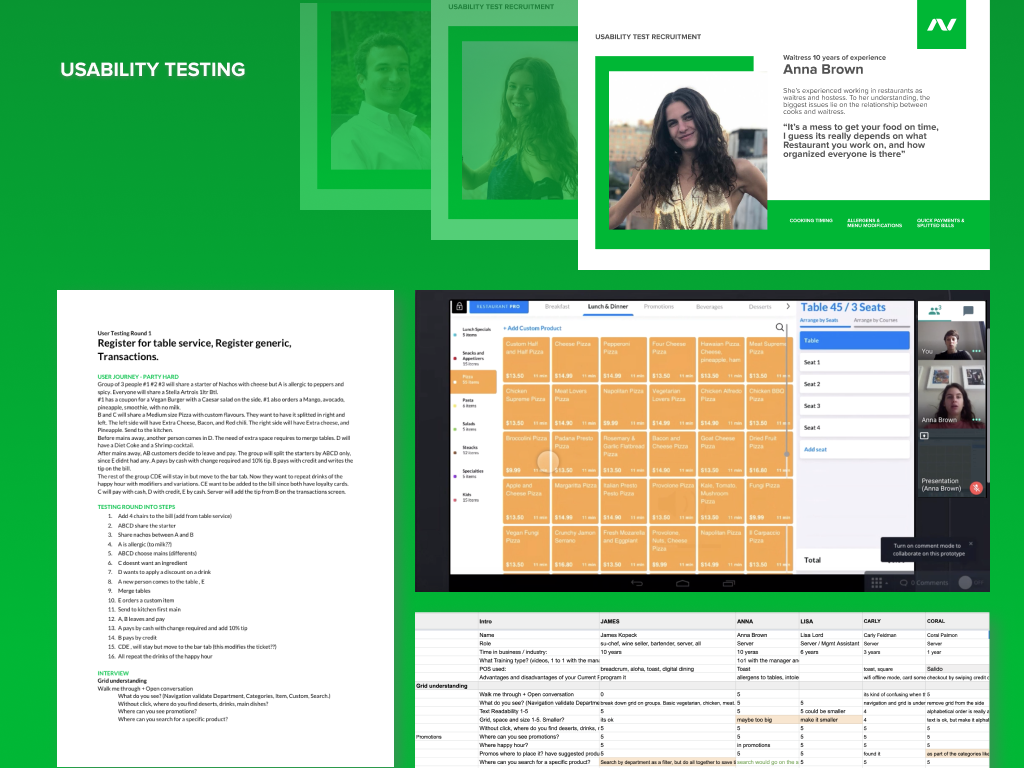
PROTOTYPING SOLUTIONS & USER TESTING
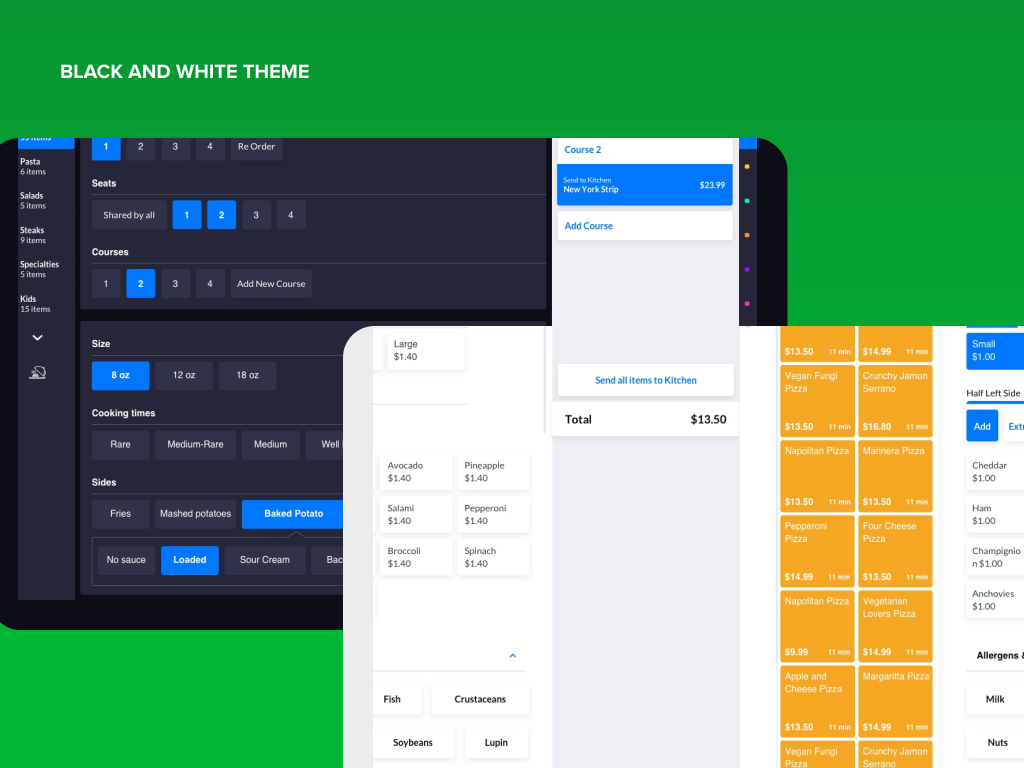
FINAL PRODUCT
THANK YOU FOR YOUR TIME
Special thanks to George Urdea, Royce Fullerton, Agustin Hernandez and Enrique Galindo for all their support, feedback and trust on my work.